A strong foundation for website communication
When building a website, much of the attention goes to design, content, navigation and mobile responsiveness. These are all important, but the email addresses used across the website deserve the same care.
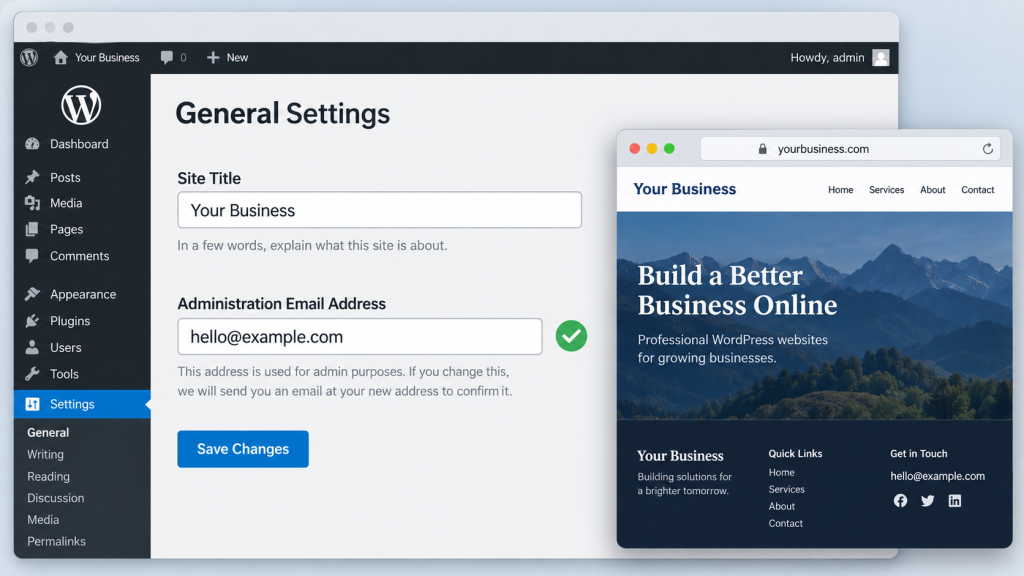
From the address displayed in your footer to the recipients of order notifications, every email setting helps connect your website to your business. Confirming these details during development supports a smoother launch and makes it easier for customers to reach the right people.
Email accuracy should be part of the build from the beginning, alongside checking links, reviewing content and testing the customer journey.
Email Addresses Appear Throughout a Website
A website can use several email addresses, each serving a different purpose. Some are visible to visitors, while others sit inside settings that only the development team can see.
Public Contact Details
- Headers, footers and contact pages.
- Staff profiles, service pages and landing pages.
- Clickable email buttons and icons.
- Privacy policies and other website documents.
- Downloadable brochures and PDFs.
Behind-the-Scenes Settings
- Enquiry and quote request recipients.
- Order notifications and booking confirmations.
- Customer acknowledgements.
- Account registration and password reset messages.
- Website administration alerts.
- Sender and reply-to addresses used by email services and integrations.
Checking the contact page is a useful start, but a complete review also covers the addresses that support the website’s functions.
Confirm the Correct Addresses Before Building
Email information should be collected with the other essential business details at the start of a project. Ask the business to confirm which addresses should be displayed publicly and where different types of messages should go.
General enquiries, sales requests, accounts queries and order notifications may need different recipients. Agreeing on these destinations early helps the development team configure each feature correctly as it is built.
Confirm who monitors each mailbox too. An address can be valid but unsuitable for enquiries if nobody checks it regularly.
An existing website can provide a starting point, but its details should be confirmed rather than copied without review. Staff members, departments and email providers may have changed since the previous website was created.
Create one approved list of email addresses and their purposes. Use it as the reference for page content, links and notification settings throughout development.
Check Both the Displayed Address and Its Link
A website can display the correct email address while linking to a different one. This can happen when a page is duplicated or visible text is updated without changing the underlying link.
Review both the address visitors can read and the destination used when they click it. Buttons labelled “Email us” and email icons also need checking because their destinations may not be visible on the page.
During testing, click each email link and confirm that it opens with the intended recipient. If the link includes a prefilled subject or message, check those details as well.
Visible contact details and clickable destinations should match the business’s approved information.
Review Email Settings as Features Are Added
Public contact information is only part of the communication setup. Website-generated messages also need the correct destinations.
Temporary addresses are sometimes used during development to receive test notifications. Keep track of these and replace them with the approved business recipients before launch.
Review each feature individually. A general enquiry may belong with the sales team, while an order notification should reach the people processing purchases.
Four Settings to Review
- Recipient: who should receive the notification?
- Sender: which configured address sends the message?
- Reply-to: where should replies go?
- Additional recipients: are copied addresses correct and approved?
These settings support different parts of the workflow. For example, a notification may be sent using the website’s configured sender address, with replies directed to the person who submitted the enquiry. Testing should confirm that the intended reply behaviour works.
Confirm That Every Mailbox Is Active
Adding an email address to a website does not create its mailbox. Before publishing or using an address, confirm that it exists and can receive messages.
If it forwards to another inbox, check that the forwarding reaches the intended person. This is especially useful when a website project includes new hosting, a new domain or changes to the business’s email services.
The website and email setup should be coordinated so that the contact details are ready to use when the site goes live.
Test Communication Throughout the Build
Testing works best when it happens as features are added, followed by a complete review before launch. This gives the team time to resolve configuration issues while the website is still being developed.
For a clickable email address, confirm the destination and test the mailbox. For an enquiry form, submit a message and confirm receipt. For an online store or booking website, test the relevant customer and business notifications using an appropriate test transaction.
Match the Tests to the Website
- General enquiries and quote requests.
- Booking requests and confirmations.
- Customer acknowledgements.
- Order notifications.
- Account registration messages.
- Password reset emails.
- Administrative notifications.
Each test should confirm that the message reaches the intended recipient and contains the information they need. Check that customer details, enquiry content and relevant order or booking information are included correctly.
A complete test confirms receipt. A success message on the website or a sending log is useful evidence, but it does not by itself prove that the message appeared in the recipient’s inbox.
Include Email Delivery in the Setup
Email links and website notifications follow different processes. A clickable email link usually opens the visitor’s chosen email application. Website-generated notifications depend on the site’s configured sending method.
An SMTP or transactional email service can help manage outgoing messages and provide information about sending errors. Its configuration still needs checking, and the recipient addresses must be valid.
If a test message does not arrive, review the recipient details, sending settings, available logs and spam folders. Confirm receipt with the person who will handle the messages after launch.
Test again on the live website after launch, since its environment or sending configuration may differ from the development version.
Support Your Marketing with Reliable Communication
Your website is often the destination for Google Ads, SEO, social media and other marketing activity. Correct email details help interested visitors take the next step and connect with your team.
Someone may click an ad and use an email button in the footer. Another visitor may discover a service page through Google and submit a quote request. Both journeys depend on the contact process reaching the right people.
Checking these destinations also supports clearer reporting. A tracked email-button click records an interaction; it does not prove that the visitor sent a message. An accepted form submission may be recorded even if its email notification is not delivered.
Understanding these differences helps the business compare website activity with received enquiries and assess marketing results with better context.
Make the Experience Easy for Customers
Accurate contact details give visitors confidence that they can reach your business. Clear labels also help them choose the right address when several departments are listed.
Where practical, explain which address is intended for sales, support or accounts. This helps customers direct their message appropriately and makes it easier for the team to respond.
For purchases and bookings, review the contact details inside notification templates too. Customers may use those emails later to ask a question, change a booking or request assistance.
Your Website Email Launch Checklist
Before publishing, review the website against the approved email list. Cover shared areas such as the header and footer, then check individual pages, downloads and notification settings.
During Development
- Confirm the approved business addresses and their purposes.
- Verify that mailboxes exist and are monitored.
- Check displayed addresses and clickable links.
- Configure recipients, sender details and reply-to settings.
- Record any temporary development addresses.
- Test notifications as features are added.
Before Launch
- Review pages, shared templates and downloadable files.
- Replace temporary recipients with approved addresses.
- Confirm forwarding arrangements where used.
- Test each relevant email function.
- Ask the responsible recipients to confirm receipt.
- Check the contact details included in customer notifications.
After Launch
- Repeat key tests on the live website.
- Keep a record of approved addresses and settings.
- Agree who monitors and follows up on enquiries.
- Review email information when staff or business details change.
- Retest affected features after relevant updates.
Keep the Details Current as Your Business Grows
Email accuracy remains important after launch. Staff changes, new departments and updated internal processes can all affect where website communication should go.
When an address changes, review its visible references, clickable links and notification settings together. Updating the contact page alone may leave older details in the footer, a landing page or a customer email template.
A clear record of the website’s email destinations makes future maintenance easier and helps the team keep communication consistent.
A Website Ready to Connect
A well-built website helps people enquire, buy, book and get assistance. Correct email addresses support each of those actions.
Confirming addresses early, using them consistently and testing delivery throughout development gives the website a stronger foundation from launch.
Every published address and notification setting should help the right message reach the right person.
At Zilo Digital, we approach website development as part of the wider customer and marketing journey. From design and functionality to communication and conversion tracking, the details help your website support your business.
Speak to our team about building a website that makes it easy for customers to connect with you.