Introduction
Moving a website to a new domain can be an important step for a growing business. You may be rebranding, changing your company name, consolidating multiple websites or simply moving to a stronger domain.
But from an SEO perspective, a domain migration needs to be handled carefully.
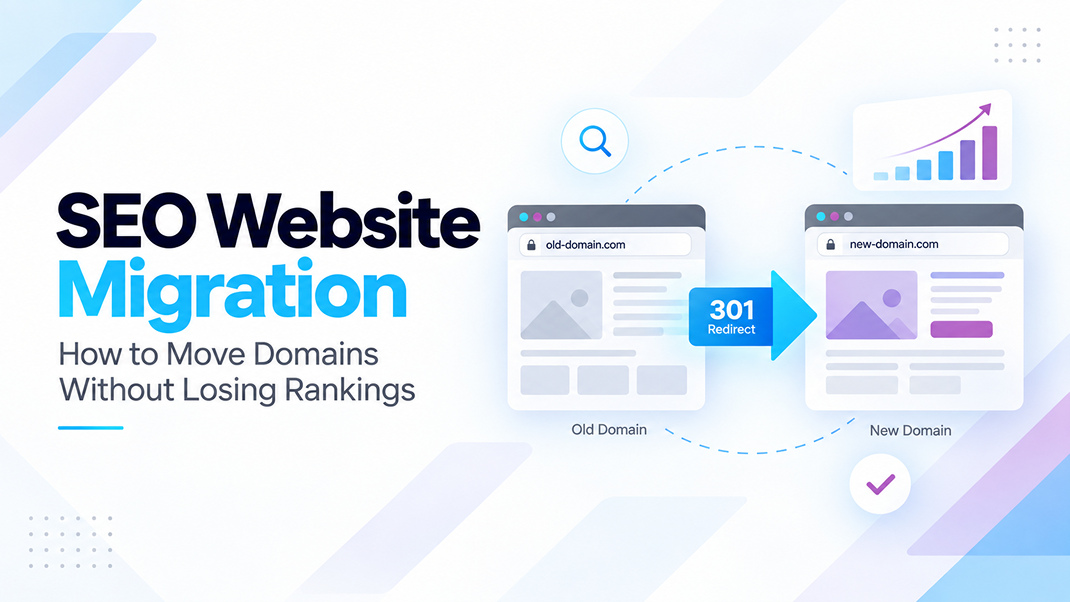
When a website moves from one domain to another, Google needs to understand that the business has not disappeared, the content has permanently moved and the new URLs should replace the old ones in search results.
Without the correct migration process, years of SEO work, backlinks, rankings and organic traffic can be put at risk.
In this guide, we explain how an SEO domain migration works and the steps businesses should follow to move a website while protecting its search visibility.
What Is a Domain Migration?
A domain migration happens when an existing website moves from one domain name to another.
For example:
oldcompany.co.za
newcompany.co.za
The website itself may look almost identical, but from a search engine’s perspective every URL has changed.
A page such as:
New: newcompany.co.za/services/seo/
Google therefore needs clear signals showing that the old page has permanently moved to its new location.
A correctly planned migration helps Google understand that:
- The business and website still exist.
- The content has permanently moved.
- The new URLs replace the old URLs.
- Existing search authority should be transferred to the new domain.
The SEO Domain Migration Process
A successful website migration can be broken into five main stages:
- Prepare and test the new domain.
- Map the old URLs to the new URLs.
- Launch the new website and implement 301 redirects.
- Test the website and SEO signals.
- Notify Google about the domain change and monitor performance.
Prepare → Map URLs → Redirect → Launch & Test → Tell Google → Monitor
Each stage plays an important role. Skipping steps or launching before the technical setup is complete can lead to broken links, indexing problems and lost organic traffic.
Step 1: Prepare the New Domain
The new domain should be completely configured and tested before any changes are made to the old website.
Complete the Technical Setup
Before launch, make sure that:
- The SSL certificate has been installed.
- HTTPS works correctly throughout the website.
- A new XML sitemap has been generated.
- Forms are working.
- Buttons and downloads work correctly.
- Analytics and conversion tracking are functioning.
Users arriving on the new domain should receive the same quality of experience they had on the old website.
Preserve Your Existing SEO
A migration is generally not the ideal time to rewrite every page on the website.
Important SEO elements should be carried across wherever possible, including:
- Page content.
- Page titles.
- Meta descriptions.
- Heading structures.
- Image alt text.
- Structured data and schema.
- Internal links.
- Canonical URLs.
Internal links and canonical URLs should then be updated so they point to the new domain rather than the old one.
Keep the Development Website Out of Google
While the new website is being developed, it should not be allowed to compete with the live website in Google’s index.
Development versions can be protected using methods such as password protection or server-level access restrictions.
Before launch: make sure any development restrictions are removed so search engines can access and index the new website.
Avoid Changing Too Much at Once
One of the biggest migration mistakes is combining several major website changes into a single launch.
For example, avoid carrying out all of the following at the same time:
- Changing the domain.
- Redesigning the entire website.
- Moving to a new CMS.
- Rewriting all the website content.
- Changing the complete URL structure.
When too many elements change at once, it becomes more difficult for search engines to understand what has happened. It also makes troubleshooting more complicated if rankings or traffic decline.
Step 2: Create a Complete URL Migration Map
Before implementing redirects, you need to know exactly where every important URL on the old website should go.
Start by crawling the old website and exporting its existing URLs. A spreadsheet can then be created mapping each old URL to its new destination.
oldcompany.co.za/about/
newcompany.co.za/about/
Ideally, every important page should have a clear destination on the new domain.
Which URLs Should Be Prioritised?
Pay particular attention to pages that:
- Receive organic search traffic.
- Have external backlinks pointing to them.
- Rank for valuable keywords.
- Generate enquiries, leads or sales.
- Appear in the XML sitemap.
- Have internal links pointing to them.
These pages often contain the strongest SEO signals on the website and should not simply disappear during the migration.
Step 3: Redirect Every Old URL to Its New Location
Once the new website is ready, permanent server-side redirects should be implemented.
For a permanent domain migration, 301 redirects are normally used.
Best Practice for Migration Redirects
Each old page should redirect to its closest equivalent on the new website.
Where an exact equivalent does not exist, redirect the URL to the most relevant alternative page.
If there is genuinely no replacement or relevant destination, it may be more appropriate for the page to return a proper 404 or 410 response.
Redirect Mistakes to Avoid
- Redirecting every old URL to the homepage.
- Using temporary 302 redirects for a permanent migration.
- Creating redirect loops.
- Creating long redirect chains.
- Redirecting one old URL into another redirect unnecessarily.
- Allowing valuable existing pages to become 404 errors.
Redirects should ideally work directly:
Old URL → 301 Redirect → New URL
Rather than:
Old URL → Redirect → Redirect → Redirect → New URL
Keeping the redirect path simple helps both users and search engines reach the correct content quickly.
Step 4: Launch and Test the Website
Before notifying Google that the domain has changed, thoroughly test the migration.
1. Domain and HTTPS
- The new domain loads correctly.
- HTTPS works throughout the website.
- There are no SSL certificate errors.
- The robots.txt file is configured correctly.
2. SEO Signals
- Canonical tags point to the new URLs.
- Internal links use the new domain.
- The XML sitemap contains new-domain URLs.
- Search engines are allowed to crawl and index the website.
Watch for this common mistake: launching the website while a development noindex rule or access restriction is still enabled can prevent Google from indexing the migrated website.
3. Redirects
- Old URLs return a 301 response.
- Redirects lead to the correct new pages.
- No redirect chains exist.
- No redirect loops exist.
Your highest-value organic landing pages should receive particular attention.
4. Analytics and Website Functionality
- Google Analytics 4 is collecting data.
- Google Ads or other conversion tracking is working.
- Contact forms submit successfully.
- Ecommerce functionality works.
- Calls-to-action work.
- Downloads function correctly.
- Thank-you pages and conversion events trigger correctly.
Step 5: Tell Google About the Domain Change
Once the migration is live and working, both the old and new domains should be added and verified in Google Search Console.
Ideally, both properties should be managed using the same Google account, with verified owner access available for each.
Google Search Console includes a Change of Address feature designed for domain migrations.
Google Search Console Change of Address
- Open the old domain property in Google Search Console.
- Go to Settings.
- Select Change of Address.
- Choose the new domain.
- Complete Google’s migration checks.
- Submit the request.
This gives Google another strong signal that the website has permanently moved from one domain to another.
Submit the New XML Sitemap
After the domain move has been submitted, the new XML sitemap should also be added to the Google Search Console property for the new domain.
The sitemap gives Google a structured list of the URLs you want crawled and indexed.
For WordPress websites, the exact sitemap URL will depend on the SEO plugin or sitemap system being used.
Monitor the Migration Closely
Launching the website does not mean the migration is finished.
The first few weeks and months after launch should include active SEO monitoring.
Monitor both the old and new Google Search Console properties for changes in:
- Organic clicks.
- Search impressions.
- Keyword rankings.
- Indexing.
- Crawling.
- Page-not-found errors.
- Redirect errors.
- Submitted sitemap URLs.
Google’s URL Inspection tool can also be used to check important pages individually and confirm whether they have been discovered, crawled and indexed.
Some temporary ranking fluctuations can occur while Google recrawls the old URLs and processes the new ones.
Keep the Old Domain Active
Do not immediately cancel the old domain after completing the migration.
The redirects on the old domain are what continue sending users and search engines to the new website.
Keeping the old domain and redirects active helps protect:
- Existing backlinks.
- Saved browser bookmarks.
- Links in old emails.
- Printed marketing materials.
- Returning visitors.
- Existing search signals.
Keep the redirects active for at least 180 days and, where practical, retain the old domain and redirects for considerably longer.
For many businesses, continuing to renew the old domain is a relatively small cost compared with the SEO value and brand protection it can provide.
What Happens If a Website Migration Is Done Incorrectly?
A poorly handled migration can create significant SEO problems.
Lost Search Rankings
If Google cannot connect an old ranking page with its new equivalent, the new page may have to establish its rankings again.
Increased 404 Errors
Existing search results, backlinks and bookmarked pages may lead visitors to broken URLs.
Lost Backlink Authority
Websites may have linked to your domain for years. Without the correct redirects, much of the value of those links may not reach the new pages.
Indexing Problems
Incorrect canonical tags, noindex directives, robots.txt settings or development restrictions can prevent the new website from being indexed properly.
Tracking Problems
If GA4, Google Ads or conversion events are not updated, the migration may appear to cause a major drop in leads even when the actual issue is broken tracking.
An SEO migration should be treated as a planned technical project rather than simply changing the domain name in WordPress.
SEO Website Migration Checklist
Before completing a domain migration, use the following checklist to make sure the most important SEO and technical requirements have been covered.
Before Launch
- Configure the new domain.
- Install and test SSL.
- Copy important website content.
- Preserve page titles and meta descriptions.
- Preserve headings and structured data.
- Update canonical URLs.
- Update internal links.
- Generate a new XML sitemap.
- Test forms and functionality.
- Crawl and export the old website.
- Map old URLs to new URLs.
- Prepare permanent redirects.
During Launch
- Make the new website accessible to search engines.
- Activate 301 redirects.
- Test important old URLs.
- Check HTTPS.
- Check canonical tags.
- Check internal links.
- Check analytics.
- Check conversions.
- Check forms and ecommerce functionality.
After Launch
- Verify the old and new domains in Google Search Console.
- Submit the Change of Address.
- Submit the new XML sitemap.
- Monitor indexing and crawling.
- Monitor 404 errors.
- Monitor redirect problems.
- Monitor organic clicks and impressions.
- Monitor keyword rankings.
- Keep the old domain and redirects active.
Should You Expect Rankings to Drop During a Domain Migration?
Some temporary movement in rankings and organic traffic can occur while search engines recrawl the old domain, follow its redirects and index the new URLs.
However, the objective of a properly planned migration is to make the relationship between the old and new website as clear as possible.
Good URL mapping, direct 301 redirects, consistent content, correct canonical tags and accurate Search Console configuration all help reduce unnecessary disruption.
Final Thoughts
Changing your website’s domain can be a positive business decision, particularly when it supports a rebrand, acquisition or stronger digital identity.
But the SEO value built up by an established website should not be left behind.
The safest approach is to plan the migration carefully, preserve as much of the existing website structure as possible, map every important URL, implement permanent redirects and closely monitor Google Search Console after launch.
The principle is simple:
Make it as easy as possible for Google and your visitors to understand where everything has moved.
When the technical signals are clear, the new domain has a much stronger foundation for retaining the visibility and authority built by the previous website.
Planning a Website or Domain Migration?
Moving an established website requires more than copying files from one domain to another.
At Zilo Digital, we help businesses manage the technical, website and SEO requirements involved in domain and website migrations — from URL mapping and redirects to Google Search Console, analytics, tracking and post-launch monitoring.
If your business is planning a domain change, website rebuild or WordPress migration, speak to our team before making the switch.
Move your website without leaving your SEO behind.